Free AI YouTube Summarizer

Summarize YouTube Videos with AI in Seconds

Get instant AI summaries, ratings, key takeaways, and chapter breakdowns for any YouTube video. Know what's worth watching before you press play.

How It Works

Summarize any YouTube video in 3 steps

No signup required. Install the Chrome extension and start summarizing videos instantly.

1

Install the Extension

One click from the Chrome Web Store. Pareto adds itself to your browser — no account needed, no configuration.

2

Browse YouTube Normally

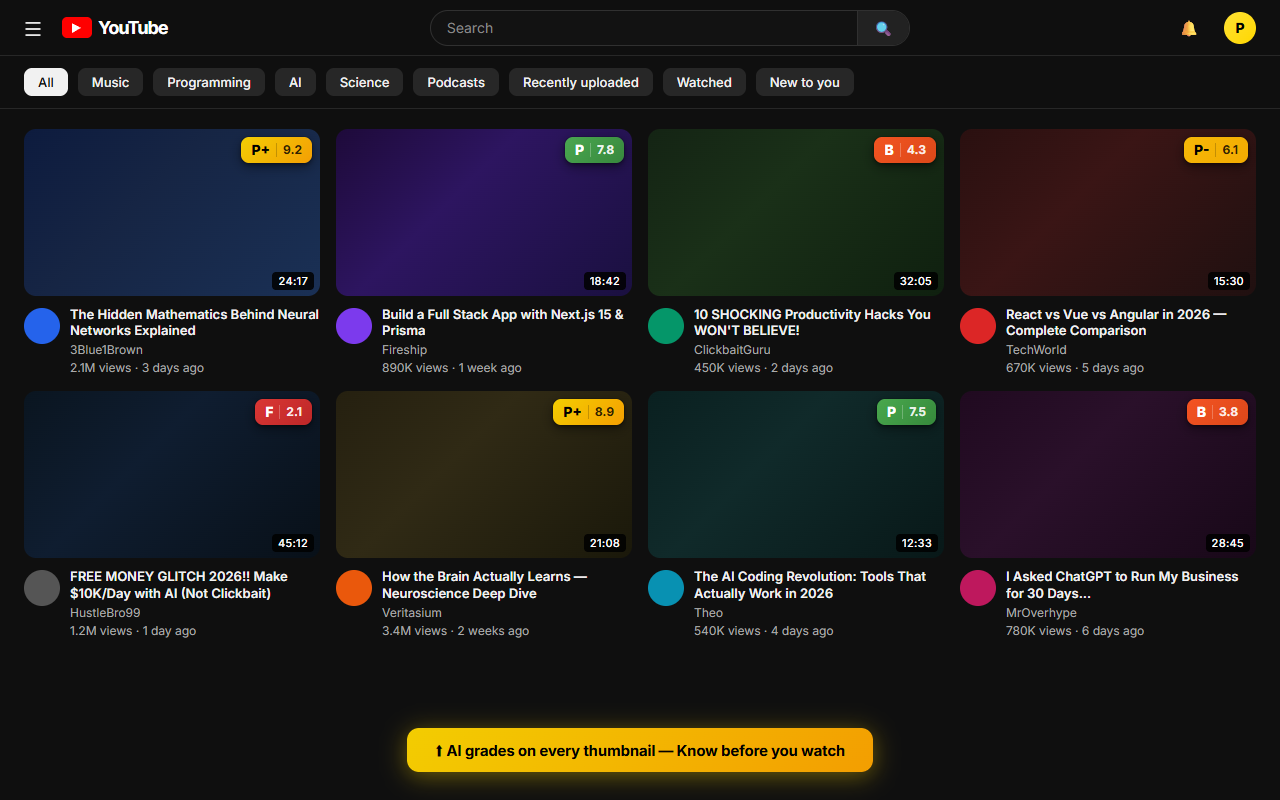
AI ratings appear directly on YouTube thumbnails as you scroll your feed. Grades range from P+ (excellent) to F (skip it).

3

Get Your Summary

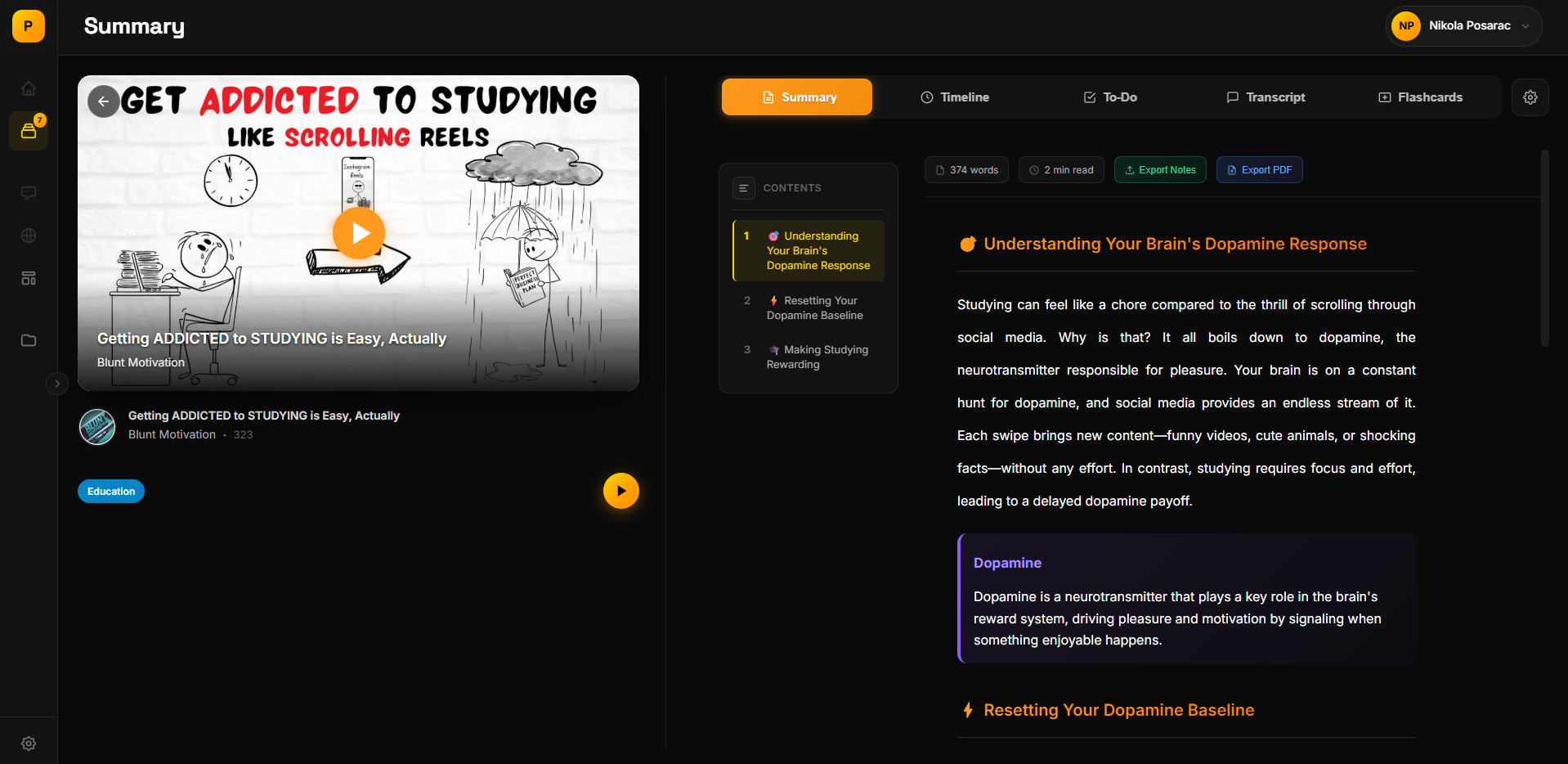
Click any video to see a full AI summary: key takeaways, chapter breakdown, sentiment analysis, and an overall verdict.

Features

More than just a YouTube summarizer

Pareto doesn't just summarize — it rates, analyzes, and organizes every video you watch.

1

AI Video Ratings on Every Thumbnail

See quality grades from P+ to F directly on YouTube thumbnails. Know which videos are worth your time before clicking — no more guessing from titles and clickbait.

Grades from P+ (excellent) to F (skip) on every video
Score based on content depth, production quality, and value
Works on home feed, search results, and recommendations
Pareto AI ratings on YouTube thumbnails showing grades from P+ to F
2

Instant AI Summaries & Key Points

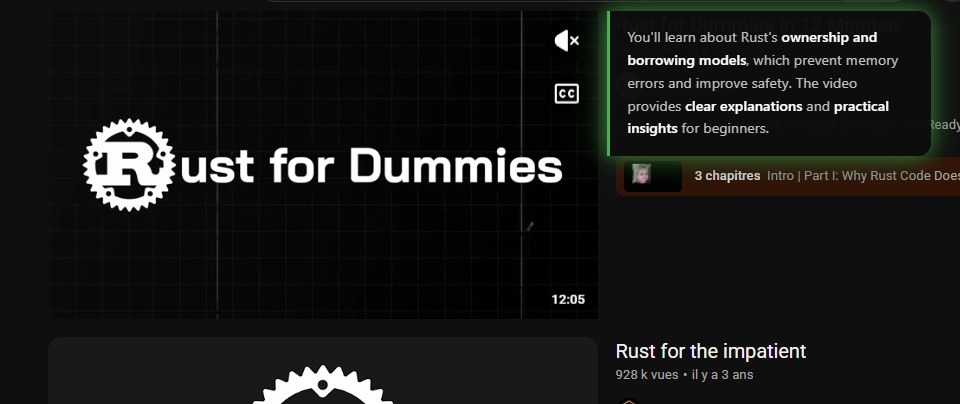
Get the core insights from any YouTube video in seconds. Pareto's AI extracts the key takeaways, main arguments, and actionable advice — saving you from watching the full video.

Summary generated in ~10 seconds
Key takeaways extracted as bullet points
Works on educational, tech, business, and podcast content
Pareto AI summary panel showing key points and verdict for a YouTube video
3

Chapter Breakdown & Timestamps

Jump to the parts that matter. Pareto automatically generates chapters with timestamps, so you can skip intros and find the sections relevant to you.

Auto-generated chapters with clickable timestamps
Each chapter summarized individually
Skip to the most relevant sections instantly
Pareto chapter breakdown with timestamps for a YouTube video
4

Save to Your Video Library

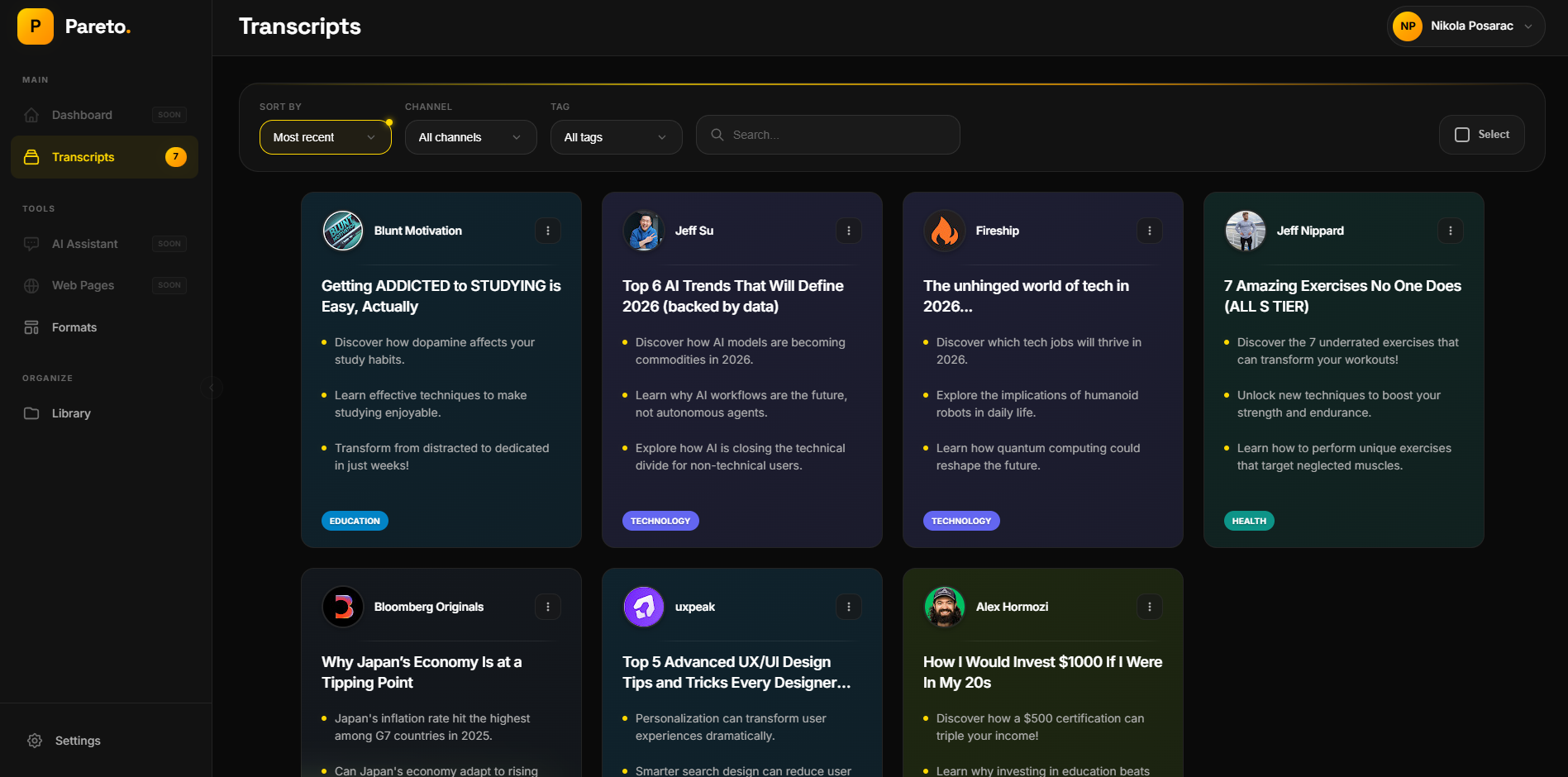
Every summary is saved to your personal Pareto Hub — a searchable library of all the videos you've analyzed. Find any insight later in seconds.

All summaries saved automatically to the Hub
Search across all your past video analyses
Access from any device at app.pareto-labs.com
Pareto Hub showing a library of saved YouTube video summaries

Why Pareto

Pareto vs. Other Methods

See how using Pareto as your YouTube video summarizer compares to watching manually or using ChatGPT.

Feature Pareto ChatGPT Manual
Time to summarize ~10 sec 2-5 min Full video
Video quality rating
Works on YouTube directly
No transcript copy-paste N/A
Auto-chapters & timestamps ~
Saved video library
Price Free $20/mo Free

What Is a YouTube Video Summarizer?

A YouTube video summarizer is an AI tool that watches a video for you and extracts the most important information — key points, main arguments, actionable advice, and overall quality — in a fraction of the time it would take to watch the full video.

Instead of spending 20 minutes on a video only to discover it's clickbait, a summarizer gives you the core content in seconds. This is especially valuable for educational content, tech tutorials, business podcasts, and news commentary where you need to consume information efficiently.

Why Use AI to Summarize YouTube Videos?

The average YouTube user watches 48 minutes of video per day. Much of that time is spent on content that doesn't deliver real value. AI summarization solves this by helping you:

  • Save hours each week by getting the gist of videos in 10 seconds instead of 20 minutes
  • Filter out low-quality content before investing your time
  • Research topics faster by scanning summaries of multiple videos
  • Keep notes automatically — every summary is saved and searchable
  • Focus on what matters with chapter breakdowns and timestamps

How Pareto's AI Summarizer Is Different

Unlike ChatGPT or other general-purpose AI tools that require you to copy-paste transcripts, Pareto works natively inside YouTube. It's a Chrome extension that activates automatically — no tab switching, no manual input, no extra steps.

More importantly, Pareto is the only YouTube summarizer that also rates video quality. Its AI assigns grades from P+ (excellent, must-watch) to F (skip it), based on content depth, production quality, accuracy, and how well the video delivers on its title.

Who Is This For?

Pareto's YouTube video summarizer is built for people who use YouTube to learn, not just to browse:

  • Students and researchers who need to review lecture videos and academic content quickly
  • Professionals who follow industry channels for news and insights
  • Content creators who research competitors and trends
  • Lifelong learners who watch tech, science, business, and philosophy channels
  • Busy people who want the value of YouTube without the time investment

FAQ

Frequently Asked Questions

Install the Pareto Chrome extension, then browse YouTube normally. Click any video and Pareto will automatically generate an AI summary with key points, chapters, and a verdict rating from P+ to F — all in about 10 seconds.
Several AI tools can summarize YouTube videos: ChatGPT (requires manual transcript pasting), Google Gemini, NoteGPT, Glasp, and Pareto. Pareto is the only one that also rates video quality with grades from P+ to F, helping you decide if a video is worth watching before you start.
Yes, Pareto is safe. It is listed on the official Chrome Web Store, requires minimal permissions (only access to youtube.com), and does not collect personal data. All processing happens through secure API calls.
Pareto uses the video transcript when available, but can also work with video metadata and audio analysis for videos without subtitles. The AI extracts the key points regardless of whether closed captions are enabled.
Yes, Pareto offers a free plan with 15 AI video analyses per month. No credit card required, no signup needed — just install the Chrome extension and start summarizing. Paid plans start at $4/month for more analyses. See pricing.

Stop wasting time on bad videos.

Install Pareto and get AI summaries, ratings, and key insights on every YouTube video — in seconds.

Add to Chrome — It's Free

Free to start · 15 analyses/month · No signup required

Add to Chrome — Free